Redesigning Arcadia’s internal tools to empower customer and business teams
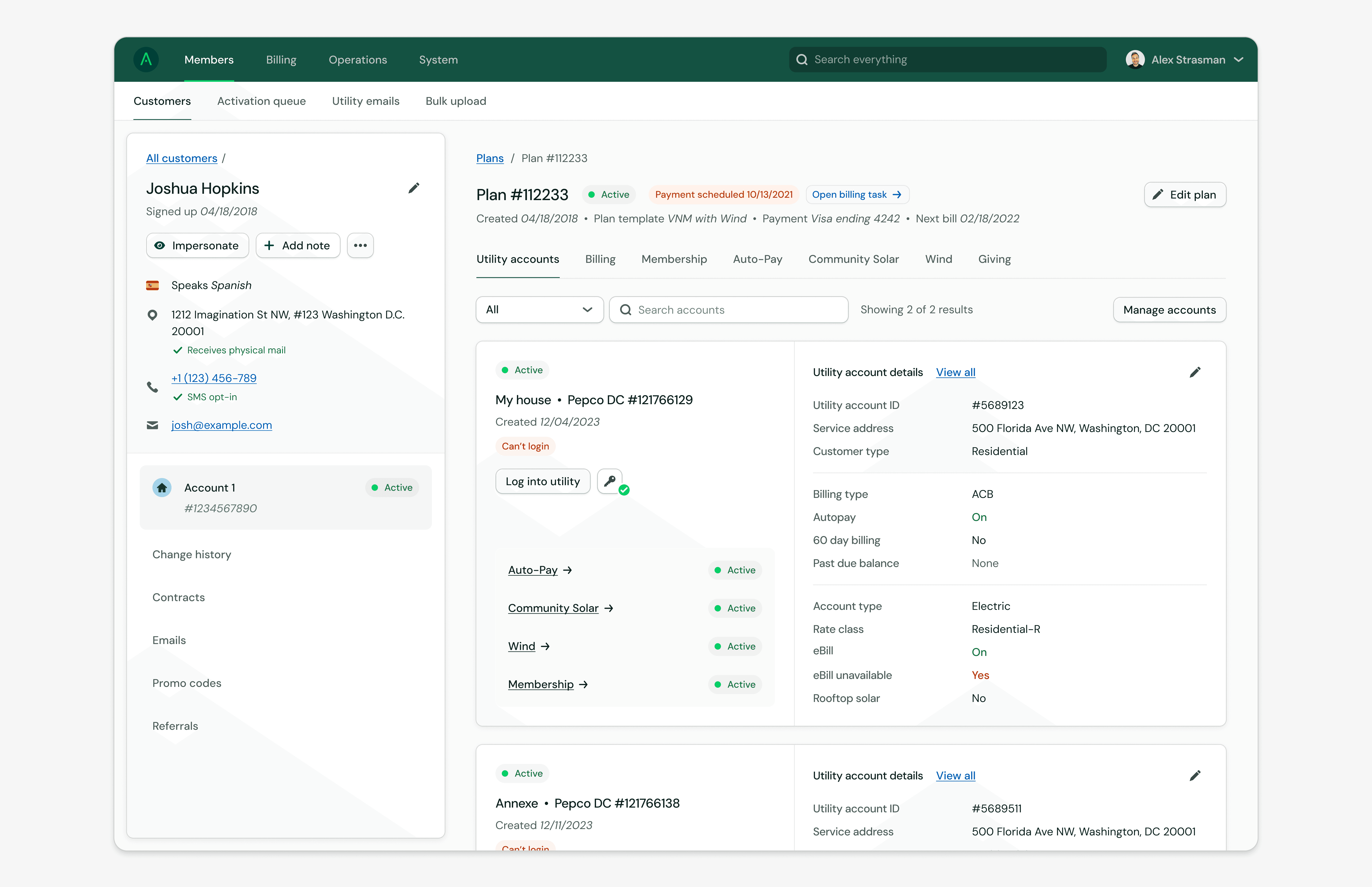
I redesigned Arcadia’s internal tooling to give support and ops teams a clearer, more actionable view of our customer base. The result is a streamlined workspace with smarter IA, sharper UI, and features tailored to triage, troubleshoot, and manage products at scale.
New
Product Design
Design System
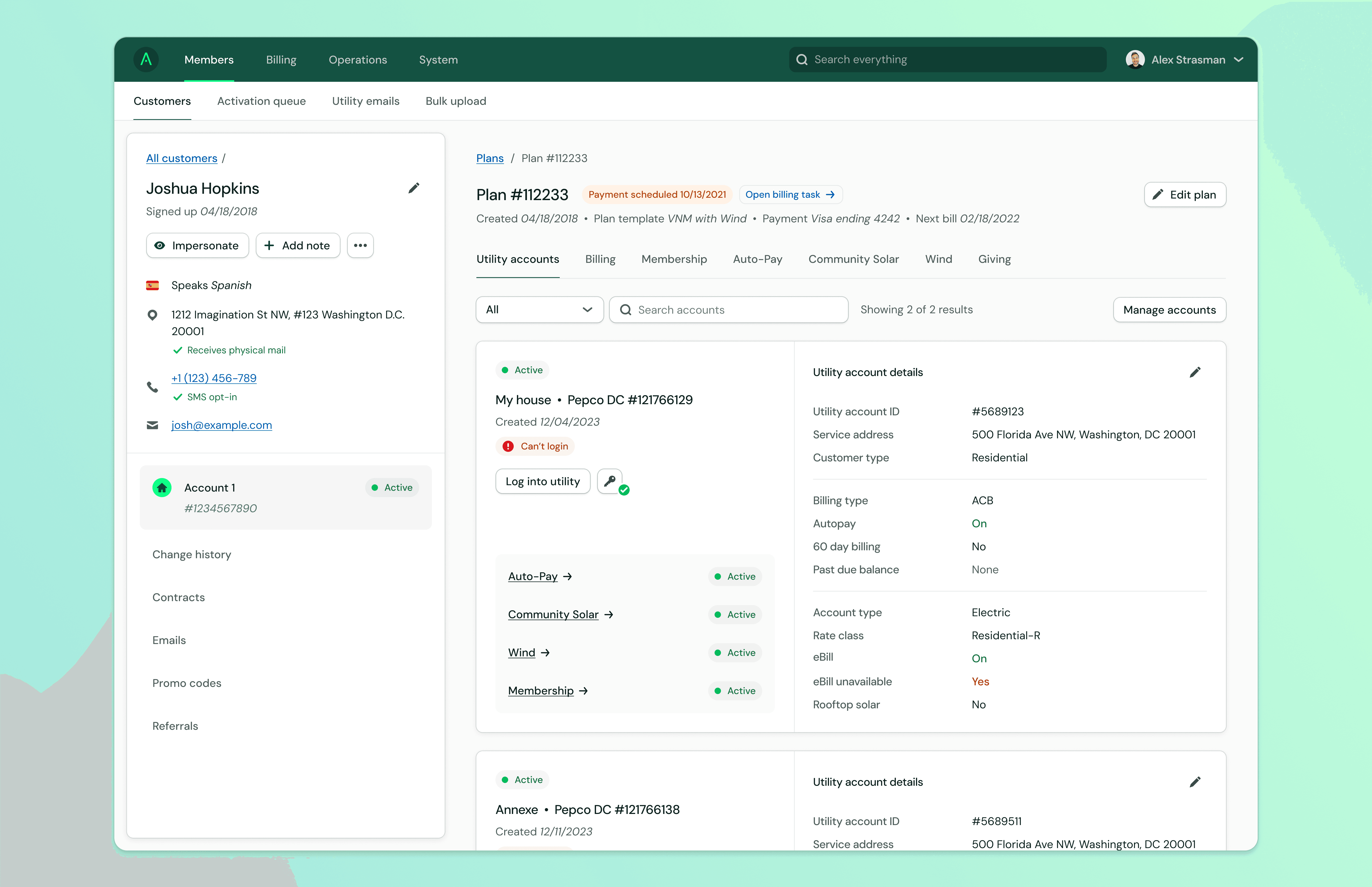
The challenge
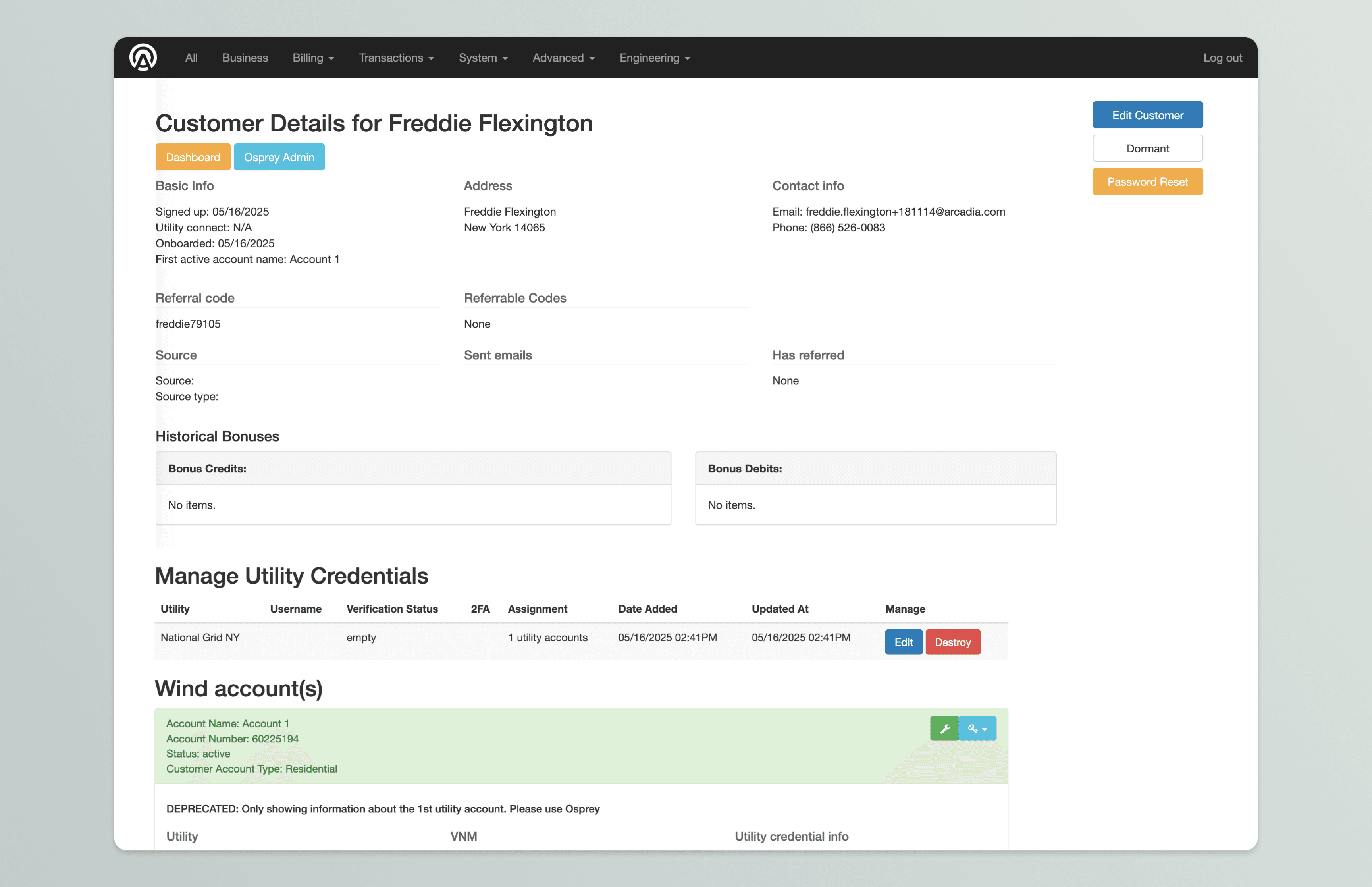
Arcadia’s original internal tool had been around since the early days—built quickly in Bootstrap and used daily by support and ops teams to manage customers and solar projects. But as the business grew, so did the cracks. Support teams were struggling to navigate customer data, and business operations lacked the tools they needed to manage our increasingly complex product lines.
The design
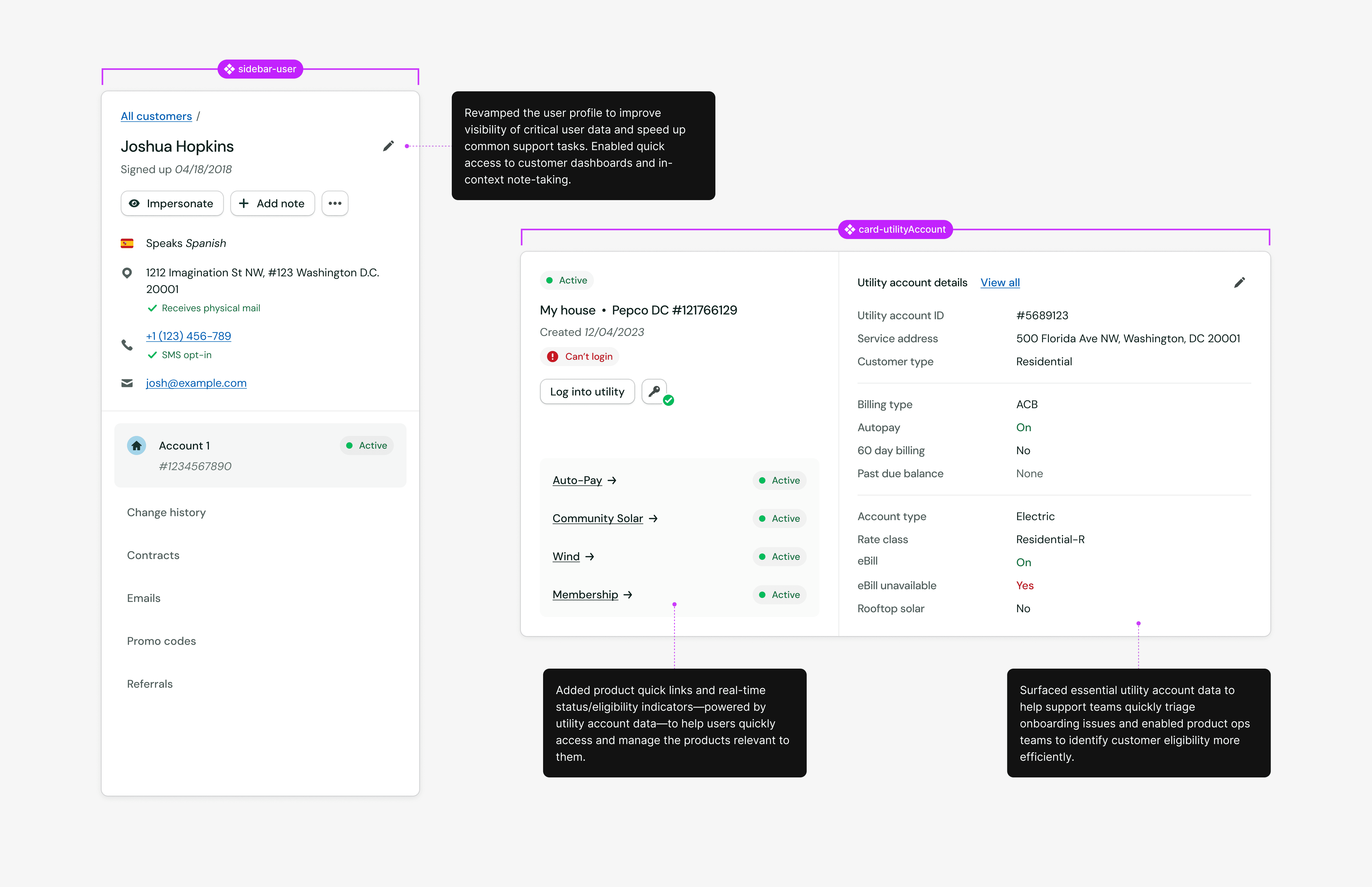
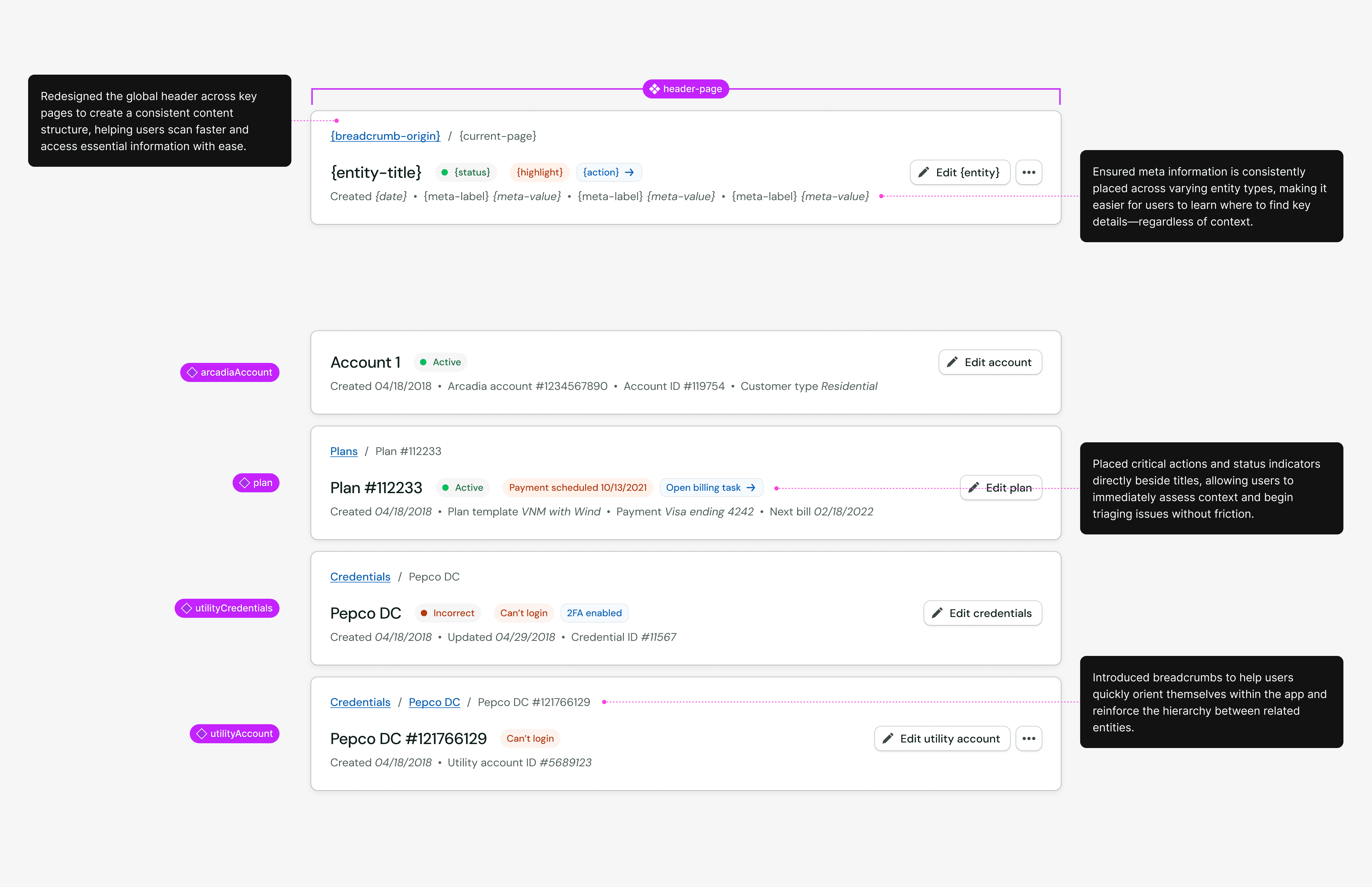
We took the opportunity to redesign the internal tool from the ground up. The goal wasn’t just a new UI—it was to create a robust, intuitive system that reflected the reality of how teams actually work. We collaborated across product, engineering, ops, and support to identify pain points, rethink workflows, and align the frontend design with a significant backend refactor of our account data model.

Considerations
The tool needed to do more than just “look better.” We had to ensure it could handle:
Flexible account structures (like multiple users per account)
Complex billing setups (including future support for aggregated billing)
Easier ways to place customers on solar projects and view their account status at a glance
We leaned into modular UI patterns, clear hierarchy, and thoughtful defaults to reduce decision fatigue and training overhead for internal teams.

Outcomes
The new internal tool drastically improved efficiency and usability for our support and ops teams. With a cleaner interface and more robust features, they could spend less time fighting the tool and more time helping customers. Just as importantly, the platform now supports new product features that were impossible with the old architecture.
Socialite • iOS application
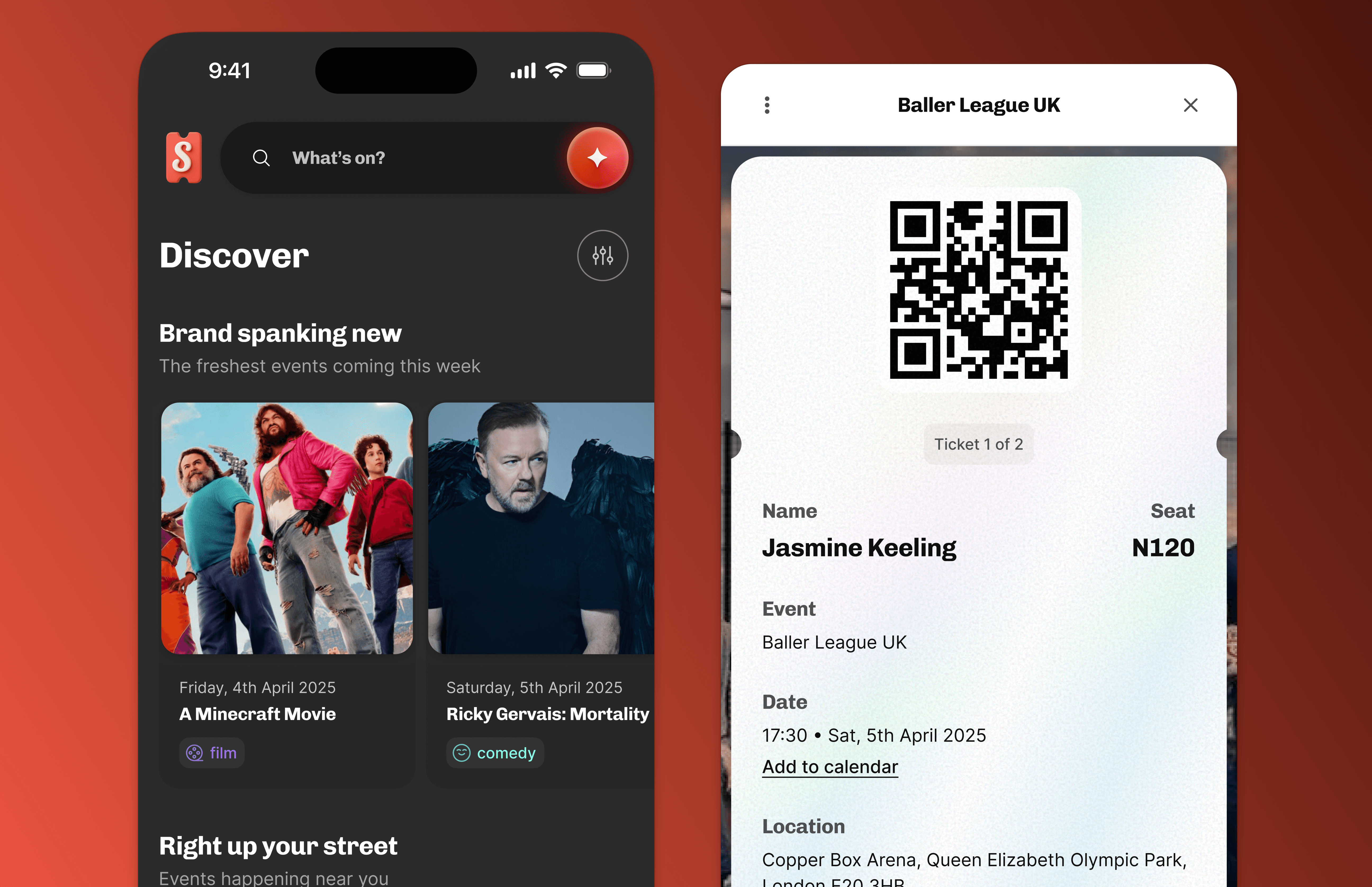
This reimagined Socialite app brings a content-first design to event discovery. Users now browse tailored experiences with the help of AI agents that suggest events based on their mood, schedule, and interests—making “what should we do tonight?” effortless.
New
Product Design
Design System
Arcadia • Gamification for Solar
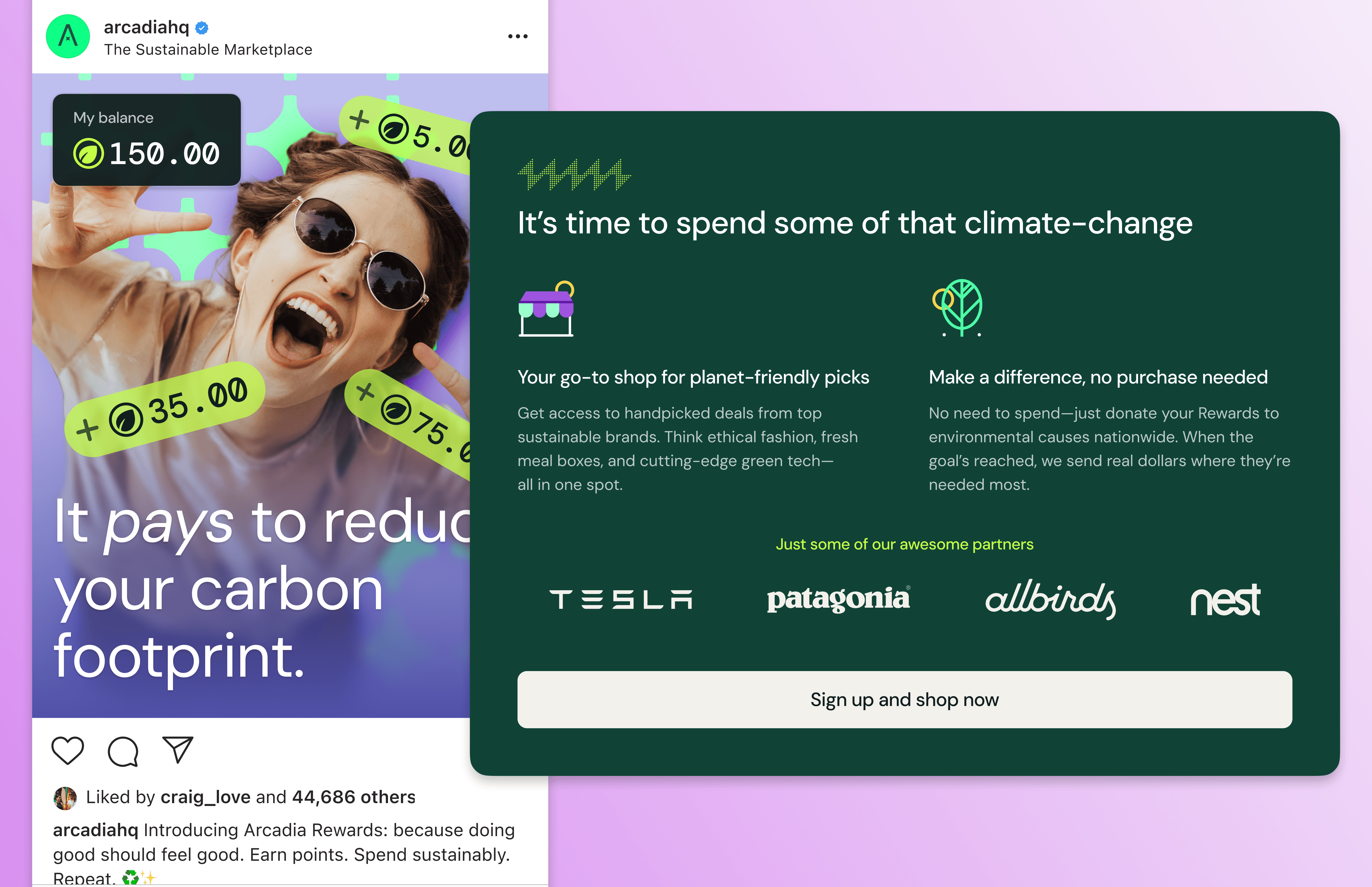
A conceptual rewards system designed to bridge the gap between sign-up and solar activation. Users earn a playful currency by taking climate-positive actions, which they can redeem in a sustainability marketplace—making the Arcadia experience instantly rewarding.
Coming soon
Product Design
badge
Branding